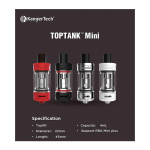
Kangertech Topbox Mini Won’t Fire? Here’s What To Do.
The Kangertech Topbox Mini kit was a popular choice for many vapers, known for its reliability and versatility. However, like any electronic device, users can occasionally encounter issues. One of the most frustrating problems is when your Kangertech Topbox Mini suddenly stops firing, especially if it indicates a “dead battery” even when seemingly connected to a power source.
Understanding the “Won’t Fire” Issue
A common scenario involves the device working perfectly for weeks or even months, then suddenly failing to fire. When attempting to activate the device, particularly while plugged in, the battery indicator might flash, signaling a dead or critically low charge, even if you believe it should be charging or sufficiently powered.
This specific symptom—not firing and flashing “dead battery” when plugged in—points towards a few potential culprits that are worth investigating before considering a replacement.
Initial Troubleshooting Steps
Before you give up on your Kangertech Topbox Mini, try these common troubleshooting methods. Many firing issues can be resolved with simple checks.
1. Check Your Battery (If Removable)
The Topbox Mini typically uses a single 18650 battery. This is often the first place to look:
Remove and Reinsert: Take the 18650 battery out and carefully reinsert it, ensuring proper positive (+) and negative (-) orientation.
Test a Different Battery: If you have a spare 18650 battery that you know is fully charged and in good condition, try swapping it out. A faulty battery is a very common cause of firing issues.
Inspect Battery Wraps: Check the battery wrap for any tears or damage. Damaged wraps can lead to shorts or poor connections.
Clean Battery Contacts: Gently clean the battery contacts inside your mod and on the battery itself with a cotton swab and rubbing alcohol (ensure it’s completely dry before reinserting the battery).
2. Inspect the Atomizer and Coil
The connection between your mod and atomizer, and the state of your coil, are crucial for firing:
Reseat the Tank: Unscrew your tank completely and screw it back on, ensuring it’s snug but not overtightened. Sometimes a loose connection can cause misfires.
Try a New Coil: A shorted or burnt-out coil can prevent the mod from firing, or give a “no atomizer” message (though your specific symptom is “dead battery”). Replacing the coil with a fresh one is a quick way to rule this out.
Check 510 Pin: Ensure the 510 pin on your atomizer (the bottom contact) isn’t pushed in too far or damaged.
3. Examine the 510 Connection on the Mod
The 510 connector on the mod itself can sometimes be the source of the problem:
Clean the 510 Threading: E-liquid residue or debris can build up in the 510 threading, leading to poor conductivity. Use a cotton swab and a small amount of rubbing alcohol to gently clean the threads and the center pin area. Be careful not to damage the spring-loaded center pin.
Check for Damage: Look for any visible damage to the 510 connector on your mod, such as a pushed-in or wobbly center pin.
4. Charging Issues
Given the “battery flashes dead when plugged in” symptom:
Try a Different USB Cable and Port: Faulty cables or charging ports can prevent proper charging. Test with another known good USB cable and try plugging it into a different USB port (on your computer or a different wall adapter).
Wall Adapter Check: Ensure your wall adapter provides sufficient amperage (typically 1A for most vape mods, check your device manual).
External Charger: If you use an external 18650 charger, confirm your battery is charging correctly with it. This can help differentiate between a mod charging port issue and a battery issue.
When All Else Fails: Manufacturer and Vendor Support
If you’ve gone through all the troubleshooting steps above and your Kangertech Topbox Mini still refuses to fire, it might indicate a more serious internal issue with the device’s chipset or wiring.
As noted, Kangertech often directs customers to their original vendor for warranty claims. This is standard practice in the industry. If you purchased the device recently (within a typical warranty period, usually 30-90 days), reaching out to the vendor where you bought it is your next best course of action. Be prepared to provide proof of purchase.
While it can be frustrating, especially if the vendor is geographically distant, this is often the only route for repair or replacement for a faulty device that’s still under warranty.
Conclusion
Most firing issues with vape mods like the Kangertech Topbox Mini are related to batteries, coils, or connections. By systematically working through these troubleshooting steps, you stand a good chance of getting your device back in working order. If not, don’t hesitate to utilize your warranty through the vendor.